
BamTek Blogs
Specialized Articles of Technology & Computer World
Important Things to Remember When Buying a Used or Refurbished Laptop
Webmaster
Bamtek
Hits: 2194
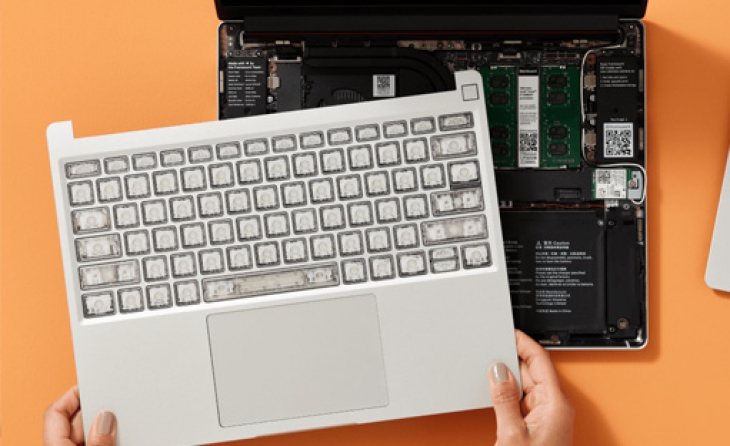
When IT companies pump out a new version of Computers or Laptops every year, older versions become much more available. This is exactly why purchasing a refurbished laptop is a solid choice, as long as you do the research and carefully consider what you need. Check out some of our tips and reminders before you spend money on a refurbished or used hardware's!
Refurbished, Used, and Factory Recertified Laptops: What's the Difference
When it comes to buying a new laptop, it’s important to clarify what to spend and what to expect. Whether you’re looking to buy a refurbished Macbook versus a used Macbook, know that they aren’t the same. This applies to any device that is labeled as refurbished, used, or factory recertified.
If you’re buying a used laptop, you can expect that the product is being sold as is, without fixes, changes, or upgrades. This is probably the most risky option for purchasing a laptop of any kind.
When it comes to refurbished or factory recertified devices, buyers can shop with more confidence. These pieces have been fixed (if needed) and carefully checked by the sellers. They are often in better condition than a tech device that is labeled as “used”, although they will also likely cost a bit more.
With a factory recertified/refurbished product, customers usually will be given a warranty, as the product is sold from a reputable seller. Bamtek sells all products with a minimum 1-year warranty, with some products even coming with a 2-year warranty.
If you’re buying a used laptop, you can expect that the product is being sold as is, without fixes, changes, or upgrades. This is probably the most risky option for purchasing a laptop of any kind.
When it comes to refurbished or factory recertified devices, buyers can shop with more confidence. These pieces have been fixed (if needed) and carefully checked by the sellers. They are often in better condition than a tech device that is labeled as “used”, although they will also likely cost a bit more.
With a factory recertified/refurbished product, customers usually will be given a warranty, as the product is sold from a reputable seller. Bamtek sells all products with a minimum 1-year warranty, with some products even coming with a 2-year warranty.
How Do You Plan to Use Your Used & Refurbished Laptop?
Do you plan to use the refurbished laptop for work purposes? Is it for casual and social use at home? Do you use or download a lot of programs or apps? Do you need the newest cutting-edge processing power?
Certain laptops are going to be better if you plan to use more specific programs. For gaming, you might prefer a used PC gaming laptop, while for work and digital design you might prefer a used MacBook. An older version of a laptop might be all you need if you just need basic functionality.
If you work from home and need to run multiple programs at once, you’re going to need a refurbished laptop with higher RAM, we suggest getting at least 6GB if you’re this kind of user. If you have loads of documents, saved data, or other digital files, you’re going to need more hard drive storage space or an online cloud.
The type of work you do might help you determine if you need a refurbished MacBook or a refurbished PC laptop. Macs are usually preferred for photo/video/sound production because of the stellar free onboard programs that Apple provides for this kind of creative editing. If this is what you’re after, make sure to buy a newer refurbished Mac with a more recent processor, and if you’re considering doing a really serious production, perhaps consider investing in a more powerful desktop that will give you unrivalled power and speed.
Quick tip! Make a list of what kind of needs you have for your refurbished or used laptop, so that when you go to look for one, you can focus on which devices will meet those needs. And one more note about Windows/Mac, it really is all about preference and what kind of deal you can find. There used to be a huge difference in workflow between the two platforms, but now they really are super similar. Even if you’re a well-seasoned Mac user, you shouldn’t have any issue transitioning to a used laptop running on the newer Windows 10 platform.
Certain laptops are going to be better if you plan to use more specific programs. For gaming, you might prefer a used PC gaming laptop, while for work and digital design you might prefer a used MacBook. An older version of a laptop might be all you need if you just need basic functionality.
If you work from home and need to run multiple programs at once, you’re going to need a refurbished laptop with higher RAM, we suggest getting at least 6GB if you’re this kind of user. If you have loads of documents, saved data, or other digital files, you’re going to need more hard drive storage space or an online cloud.
The type of work you do might help you determine if you need a refurbished MacBook or a refurbished PC laptop. Macs are usually preferred for photo/video/sound production because of the stellar free onboard programs that Apple provides for this kind of creative editing. If this is what you’re after, make sure to buy a newer refurbished Mac with a more recent processor, and if you’re considering doing a really serious production, perhaps consider investing in a more powerful desktop that will give you unrivalled power and speed.
Quick tip! Make a list of what kind of needs you have for your refurbished or used laptop, so that when you go to look for one, you can focus on which devices will meet those needs. And one more note about Windows/Mac, it really is all about preference and what kind of deal you can find. There used to be a huge difference in workflow between the two platforms, but now they really are super similar. Even if you’re a well-seasoned Mac user, you shouldn’t have any issue transitioning to a used laptop running on the newer Windows 10 platform.
Get a Used or Refurbished Laptop with a Warranty
Most independent sellers won’t offer any sort of warranty on a used laptop. If we’re being honest, the idea of throwing down a chunk of money with no guarantee on the product seems foolish.
Regardless of what the device is, how much RAM it has, or how fast the processor is, the warranty is an important consideration in your purchase. With Bamtek, customers will find that all products come with a 1-year warranty, regardless of what refurbished laptop or smartphone you’re looking at. They also include a 30-day money-back guarantee, which means you have the security of a confident purchase.
Regardless of what the device is, how much RAM it has, or how fast the processor is, the warranty is an important consideration in your purchase. With Bamtek, customers will find that all products come with a 1-year warranty, regardless of what refurbished laptop or smartphone you’re looking at. They also include a 30-day money-back guarantee, which means you have the security of a confident purchase.
You’ve worked hard for the money you have, and you deserve to be fully satisfied with what you choose to spend it on.
Do Research on the Used Laptop You Want to Buy
What other people have to say really does matter! Especially when it comes to making sure you have a reliable seller giving you a decent product, reviews can distinguish between a good and a bad purchase.
Weed through both the positive and negative reviews and find what is actual, concrete feedback. Try to search for specific details, rather than just a 5-star or 1-star rating. The “why” matters just as much as the rating itself. Focus on reviews that discuss the reliability of the used laptop or seller.
Read through the reviews to see how satisfied customers have been so far with similar purchases. Maybe find a review about the product to see if it suits your needs and taste. What kinds of issues or benefits can you expect regardless of the fact that you buy the device as a refurbished piece? Doing the appropriate research before you buy will help ensure you feel confident with what you end up buying, and feel great once you finally have it.
Weed through both the positive and negative reviews and find what is actual, concrete feedback. Try to search for specific details, rather than just a 5-star or 1-star rating. The “why” matters just as much as the rating itself. Focus on reviews that discuss the reliability of the used laptop or seller.
Read through the reviews to see how satisfied customers have been so far with similar purchases. Maybe find a review about the product to see if it suits your needs and taste. What kinds of issues or benefits can you expect regardless of the fact that you buy the device as a refurbished piece? Doing the appropriate research before you buy will help ensure you feel confident with what you end up buying, and feel great once you finally have it.
Age is Important When Picking a Refurbished Laptop
While a refurbished laptop will understandably be an older model of a laptop or MacBook, that doesn’t mean it needs to be an antique. Typically, you should not consider purchasing a refurbished laptop that is older than 4 or 5 years.
Depending on the model and brand, a newer refurbished device is going to be more expensive. Regardless, having a full, one year warranty as well as the 30-day money-back guarantee helps insure confidence in the device you purchase, regardless of how old it is.
A refurbished laptop or desktop is certainly a great option for those on a budget and looking for a great device that is within a very reasonable price range. At Back Market, we believe in the power of encouraging confidence when purchasing a refurbished device, so that we can help provide you access to the hottest tech, at the hottest price, with the hottest warranty.
Depending on the model and brand, a newer refurbished device is going to be more expensive. Regardless, having a full, one year warranty as well as the 30-day money-back guarantee helps insure confidence in the device you purchase, regardless of how old it is.
A refurbished laptop or desktop is certainly a great option for those on a budget and looking for a great device that is within a very reasonable price range. At Back Market, we believe in the power of encouraging confidence when purchasing a refurbished device, so that we can help provide you access to the hottest tech, at the hottest price, with the hottest warranty.
Why Bamtek is the Best Choice for a Cheap Laptop
We just wanted to mention that aside from the awesome warranties, seller reviews, and transparecy of our platform, we do our best to give back to the environment. We founded Bamtek to minimize the amount of e-waste that is produced through the manufacturing of new devices. We have regular initiatives for planting trees and donating to other causes to make the world a more sustainable and eco-friendly place. We even made an app to help you track your carbon footprint. When you shop at Back Market, you're joining a community of like-minded people making eco-conscious decisions.
Company
Products
Languages

Save money and planet at the same time!
Refurbished devices work like brand new, but with two significant advantages, they cost less and less on creating CO₂ and electronic waste for the planet.
So you will save money and help to create a cleaner environment. Let’s start today and Try it for 30 days, If you don't love it we'll take it back.
So you will save money and help to create a cleaner environment. Let’s start today and Try it for 30 days, If you don't love it we'll take it back.